15, 30 or 60 Seconds: How Long Should Your Promo Video Be?
Short and punchy or longer and detailed? How to choose the right promo video length for your platform and goal, with a simple structure for each length.
Read article
9:16, 16:9, 1:1 or 4:5? A plain-language guide to video formats, which platforms use which, where to keep your text, and how to get one video in many sizes.
You've got a great promo video. You post it to your WhatsApp Status and it shows up as a thin strip in the middle of the screen, with your logo too small to read. Or you put a vertical video on YouTube and it sits between two big black bars. The problem isn't the video itself; it's the shape. Every platform has a format it likes best, and getting it right makes your video look professional instead of awkward. Here's a plain-language guide to the four main formats, where each one works, and how to keep your text readable everywhere.
Aspect ratio is simply the shape of the video: width compared to height. A 16:9 video is 16 units wide for every 9 units tall, so it's wide. A 9:16 video is the same thing turned on its side, so it's tall. A 1:1 video is a perfect square.
The four formats most small businesses need are:
Vertical video fills the whole phone screen when someone holds their phone upright, which is how most people use their phones most of the time.
If you mainly sell through WhatsApp and social media, vertical is probably your most important format. Our guide to selling more with WhatsApp Status videos explains how to put it to work.
Horizontal video is the traditional TV and computer shape. It looks best when people are watching on a larger screen or have turned their phone sideways on purpose.
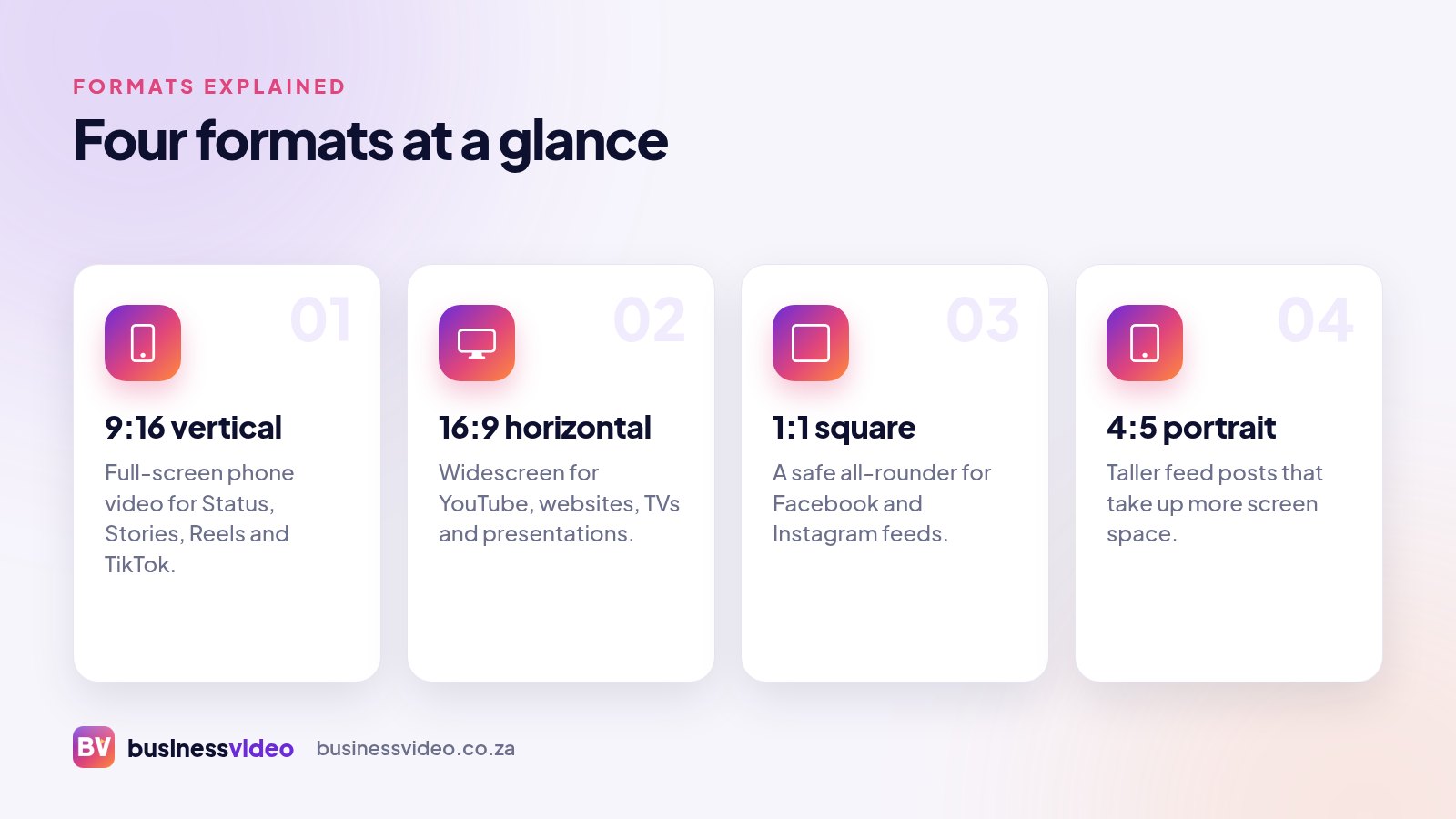
Square and portrait videos are designed for the scrolling feed, where your video sits between other posts rather than filling the whole screen.
Square video takes up more space in a feed than horizontal video, and it displays neatly on both phones and computers. If you're not sure where a video will end up, square is a forgiving choice.
Use it for:
4:5 is slightly taller than square. In Facebook and Instagram feeds it takes up more of the screen as people scroll, which gives your video a better chance of being noticed. It isn't full-screen like 9:16, but it's a strong option for feed posts and ads.
Use it for:
Each app places its own buttons and labels on top of your video: your profile name, captions, like and share buttons, the reply bar. If your phone number or special offer sits underneath those, nobody will see it.
Captions follow the same rules. Read more in why captions matter for social media video.
You don't need a completely new video for every platform. The smart approach is to plan one video, then have it delivered in the formats you need. Same message, same voiceover, same branding, simply re-arranged to fit each shape.
A hair salon in Durban might use a 9:16 version for Status and Reels, a 4:5 version for a boosted Facebook post, and a 16:9 version playing on a TV in the waiting area, all from one brief.
When you order from Business Video, you choose from 9:16, 16:9, 1:1 and 4:5, so your video fits where your customers actually watch. We handle the safe zones, captions and branding. You watch the result free on a private link and only pay (from R500) if you love it.
See examples in our portfolio, or order your video when you're ready.
From R500. Watch it free, pay only if you love it.
Short and punchy or longer and detailed? How to choose the right promo video length for your platform and goal, with a simple structure for each length.
Read article
Logo, photos, offers, contact details: a simple checklist of what to send your video team, plus tips for taking great product photos with your phone.
Read article
A simple five-part structure for promo video scripts, how many words fit in 15, 30 or 60 seconds, and a sample 30-second script you can borrow.
Read article